
 By Muhammad Irfan Liaqat
How to Create Strong Passwords You Can Actually Remember
Practical advice on building secure passwords without going crazy. Plus tips on password managers and why length beats complexity.
Let's be honest: password advice on the internet is mostly terrible.
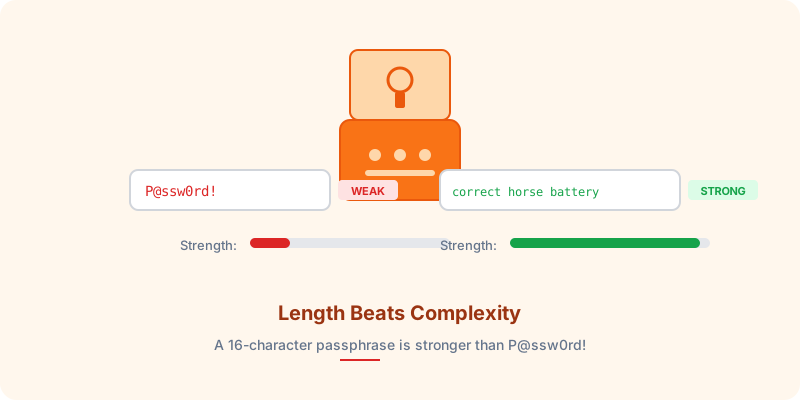
"Use a mix of uppercase, lowercase, numbers, and symbols!" Great. So now my password is P@ssw0rd! and I feel very secure. Spoiler: I'm not. That password gets cracked in under a second.
Let's talk about what actually works.
Why Most Passwords Are Weak
The average person has 100+ online accounts. Nobody creates a unique, complex password for each one. So what happens?
• People reuse the same password everywhere
• They make tiny variations (Password1, Password2, Password3...)
• They use personal information (birthdays, pet names, addresses)
• They follow the bare minimum requirements and call it a day
Hackers know all of this. Modern password-cracking tools test billions of combinations per second, and they start with the most common patterns.
The One Rule That Matters Most: Length
Here's the single most important thing about passwords: longer is stronger.
A random 8-character password with uppercase, lowercase, numbers, and symbols has about 6 quadrillion possible combinations. Sounds like a lot, right? A modern GPU can crack it in hours.
A random 16-character password? That jumps to a number so large it would take centuries.
| Password Length | Time to Crack |
|---|---|
| 8 characters | Hours |
| 12 characters | Years |
| 16 characters | Centuries |
| 20 characters | Heat death of the universe |
Length wins. Every time.
Three Methods That Actually Work
Method 1: The Passphrase
Take four or five random, unrelated words and string them together:
correct horse battery staple
This is the famous xkcd method, and it works because:
• It's 28 characters long (very strong)
• It's easy to remember (four simple words)
• It's hard to guess (the words aren't related)
Don't use song lyrics, famous quotes, or common phrases. "ToBeOrNotToBe" is not a good passphrase because it's predictable.
Method 2: The Password Generator
For accounts you don't need to type regularly (which is most of them, thanks to password managers), use a random password generator.
Our Password Generator creates cryptographically random passwords using the Web Crypto API — the same randomness source used by security software. Set it to 16+ characters and you're golden.
Method 3: The Sentence Method
Think of a sentence only you would know, then use the first letters plus some creative substitution:
"My first car was a blue 2007 Honda Civic that I bought for $4500"
→ MfcwAb07HCtIbf$45
This is memorable to you, but looks like gibberish to everyone else.
Use a Password Manager
I'll be direct: if you're not using a password manager in 2026, you're making security harder than it needs to be.
A password manager:
• Generates unique passwords for every account
• Remembers them all for you
• Auto-fills them when you log in
• Alerts you if a password has been compromised
You only need to remember one master password (use the passphrase method for this one).
What About Two-Factor Authentication?
A strong password is your first line of defense. Two-factor authentication (2FA) is your second. Use both.
Even if someone guesses your password, they can't get in without your phone. Enable 2FA on every account that supports it — especially email, banking, and social media.
Check If Your Passwords Have Been Compromised
Data breaches happen constantly. Websites like haveibeenpwned.com let you check if your email or passwords have appeared in known breaches. If they have, change those passwords immediately.
You can also use our Hash Generator to generate SHA-256 hashes of your passwords for comparison without exposing the actual password text.
Quick Security Checklist
Password security doesn't have to be complicated. A few good habits go a long way.