
 By Muhammad Irfan Liaqat
JSON Formatting Guide: What It Is and How to Read It
A beginner-friendly explanation of JSON — the data format that powers the modern web. Learn to read, write, and format JSON like a pro.
If you've spent any time around web development, APIs, or data, you've probably bumped into JSON. It shows up everywhere — API responses, config files, data exports, even in tools you use daily.
But if you've never been formally introduced, JSON can look like a confusing wall of brackets and braces. Let's fix that.
What Is JSON?
JSON stands for JavaScript Object Notation. Despite the name, it's not just for JavaScript — it's a universal data format used by virtually every programming language.
Think of JSON as a way to organize information that both humans and computers can read. It's like a very structured to-do list.
Here's a simple example:
{
  "name": "Sarah",
  "age": 28,
  "city": "Toronto",
  "hobbies": ["reading", "hiking", "photography"]
}
That's it. That's JSON. It's a collection of key-value pairs wrapped in curly braces.
The Building Blocks
JSON has only a few types of data:
Strings: Text in double quotes → "hello"
Numbers: Just numbers, no quotes → 42 or 3.14
Booleans: True or false → true or false
Null: Empty/nothing → null
Arrays: Lists in square brackets → [1, 2, 3]
Objects: Key-value pairs in curly braces → {"key": "value"}
That's the entire language. Six types. No exceptions.
Why Is Formatting Important?
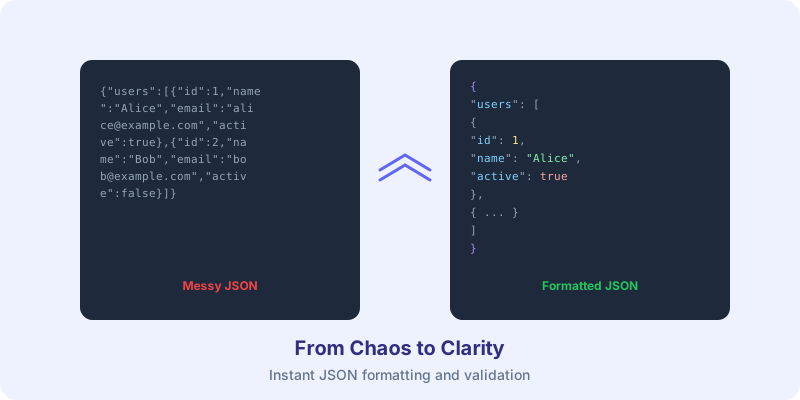
API responses often arrive as a single long line:
{"users":[{"id":1,"name":"Alice","email":"alice@example.com","active":true},{"id":2,"name":"Bob","email":"bob@example.com","active":false}]}Good luck reading that. But formatted (or "pretty-printed"), the same data becomes:
{
  "users": [
    {
      "id": 1,
      "name": "Alice",
      "email": "alice@example.com",
      "active": true
    },
    {
      "id": 2,
      "name": "Bob",
      "email": "bob@example.com",
      "active": false
    }
  ]
}
Same data. Same meaning. But now you can actually understand it.
Use our JSON Formatter to instantly beautify any messy JSON — just paste it in and get readable output with syntax highlighting.
Common JSON Mistakes
Even experienced developers trip over these:
1. Trailing commas
{ "name": "Alice", "age": 30, } ← That last comma breaks everything2. Single quotes
{ 'name': 'Alice' } ← JSON requires double quotes, always3. Unquoted keys
{ name: "Alice" } ← Keys must be in double quotes4. Comments
{ "name": "Alice" // this is a user } ← JSON doesn't support commentsWhere You'll Encounter JSON
API responses — Almost every web API returns JSON
Configuration files — package.json, tsconfig.json, settings files
Data storage — MongoDB and many databases use JSON-like formats
Data exchange — Exporting/importing data between services
JWT tokens — The payload of a JWT is Base64-encoded JSON (decode them with our JWT Decoder)
Converting Other Formats to JSON
Have data in a spreadsheet or CSV file? Converting it to JSON is straightforward. Our CSV to JSON Converter handles this — paste your CSV data, and it outputs clean, formatted JSON.
JSON vs. Other Formats
| Feature | JSON | XML | YAML | CSV |
|---|---|---|---|---|
| Human readable | Good | Okay | Best | Good for tables |
| File size | Small | Large | Small | Smallest |
| Nesting support | Yes | Yes | Yes | No |
| Comments | No | Yes | Yes | No |
| Language support | Universal | Universal | Wide | Universal |
JSON hits the sweet spot between readability and simplicity, which is why it's become the default format for data exchange on the web.
Next Steps
If you're working with JSON regularly:
1. Bookmark a JSON Formatter — you'll use it daily
2. Learn to spot syntax errors (missing commas, wrong quotes)
3. Understand nested structures (objects inside arrays inside objects)
4. Explore JSON Schema for validating JSON structure
JSON isn't complicated. Once you understand the six data types and the rules about quotes and commas, you've basically mastered it.