
 By Muhammad Irfan Liaqat
Your URLs Are Hurting Your SEO (Here's How to Fix Them)
Messy URLs confuse search engines and visitors. Learn how to create clean, SEO-friendly URL slugs that help your pages rank higher on Google.
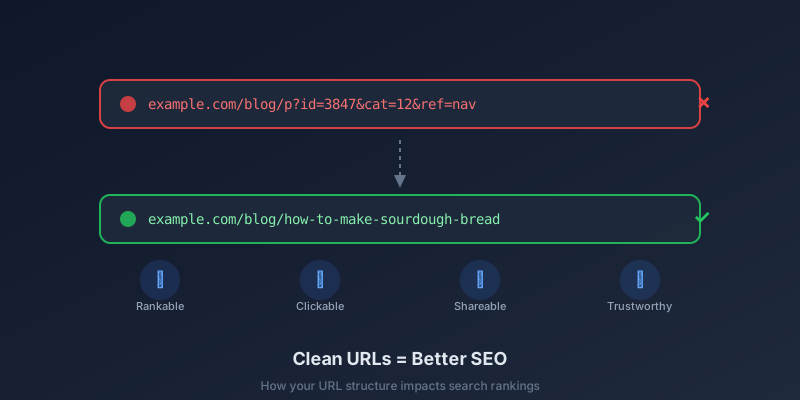
Let me show you two URLs. Tell me which one you'd rather click:
1. example.com/blog/p?id=3847&cat=12&ref=nav
2. example.com/blog/how-to-make-sourdough-bread
Yeah. That's what I thought.
The second URL tells you exactly what you'll find on the page. The first looks like someone sneezed on a keyboard. And here's the thing — Google feels the same way you do about this.
What Makes a URL "SEO-Friendly"?
A good URL is three things:
1. Readable. A human can look at it and understand what the page is about.
2. Descriptive. It contains words that relate to the page content.
3. Clean. No random parameters, session IDs, or unnecessary nesting.
Google's own documentation says it plainly: "A site's URL structure should be as simple as possible." They recommend using words in URLs rather than long ID numbers or encoded parameters.
How URLs Affect Your Rankings
Let's be real — URLs alone won't shoot you to page one. But they contribute in a few meaningful ways:
Keywords in URLs matter (a little)
Google has confirmed that words in URLs are a minor ranking factor. If someone searches for "sourdough bread recipe" and your URL contains those exact words, it's a small signal in your favor.
Not game-changing. But when you're competing with dozens of similar pages, small signals add up.
Click-through rate goes up
When your URL appears in search results, people can read it. A clean URL builds trust. Research from Microsoft found that URLs were one of the top factors people used to judge whether a search result was trustworthy — sometimes even more than the page title.
Think about it. Would you click a link from sketchy-site.com/aff/redirect/x83kd? Probably not. Clean URLs feel safer because they usually are.
They get shared and linked to more often
When someone copies a URL to share in a message, email, or document, a readable URL communicates what the link is about. An ugly URL doesn't. I've actually seen people skip sharing links because the URL looked suspicious, even though the content was perfectly fine.
The Anatomy of a Perfect URL Slug
The "slug" is the part of the URL after your domain name. Here's what a good slug looks like:
yoursite.com/blog/resize-images-for-social-mediaAnd here's the breakdown:
All lowercase. URLs are case-sensitive on some servers. Stick to lowercase, always. Use a Case Converter if you need to quickly convert text.
Hyphens between words. Not underscores. Not spaces (which become %20). Google treats hyphens as word separators but treats underscores as word joiners.
No stop words (usually). Words like "a", "the", "and", "of" can be dropped. "how-to-make-the-best-sourdough-bread" works fine as "make-best-sourdough-bread". Though honestly? If it reads better with them, keep a few.
3 to 5 words is ideal. Long enough to be descriptive, short enough to be memorable.
Bad URL Patterns (And How to Fix Them)
Here are real patterns I see constantly:
The date-stuffed URL
Bad:  /2026/10/13/my-blog-post-title
Good: /blog/my-blog-post-title
Unless dates are essential to your content (like news articles), they add nothing. They also make your content look outdated even if you update it regularly.
The category-nested URL
Bad:  /blog/category/tips/subcategory/seo/my-post
Good: /blog/my-post
Deep nesting makes URLs long and doesn't help SEO. Google can understand your site structure from internal links and sitemaps. You don't need to spell it out in the URL.
The auto-generated mess
Bad:  /post-847382
Good: /how-to-write-seo-urls
If your CMS generates slugs from database IDs, change the setting immediately. Most platforms let you customize URLs. Use them.
The keyword-stuffed URL
Bad:  /seo-tips-seo-guide-seo-tricks-best-seo-2026
Good: /seo-tips-beginners
Cramming keywords into your URL doesn't help. Google is sophisticated enough to recognize keyword stuffing, and it can actually hurt you. Keep it natural.
How to Create Clean URL Slugs
You don't have to manually lowercase everything and swap spaces for hyphens. Our Text to Slug tool does it instantly — paste in your article title, get a clean slug.
Here's my personal process for every blog post:
1. Write the article title first. For example, "How to Resize Images for Social Media."
2. Generate the slug. Paste the title into a slug generator. It gives you: how-to-resize-images-for-social-media
3. Trim if needed. I'd probably shorten that to resize-images-social-media — still descriptive, more concise.
4. Check the length. Use a Word Counter if you want to be precise. Under 60 characters is ideal for URLs.
5. Make sure it's unique. Don't create two pages with similar slugs. That confuses search engines and visitors.
What About Existing URLs?
If you already have ugly URLs and your site has been around for a while — don't panic. Here's the rule:
Don't change URLs on pages that already rank. If a page is getting traffic from Google, changing its URL can temporarily (or permanently) hurt its rankings, even with a redirect.
Instead, implement good URL practices going forward. For new content, use clean slugs from day one. For old pages, only change URLs if the page isn't ranking for anything — and always set up a 301 redirect from the old URL to the new one.
Quick URL Checklist
Your URLs are one of those things that are easy to get right from the start and painful to fix later. Take the extra 10 seconds to write a good slug for every page. Future you will be grateful.