
 By
Word Counter Online for Essays and Articles
How online word counters count words, characters and reading time, why the number can differ from Word or Google Docs, and how to hit essay and article limits.
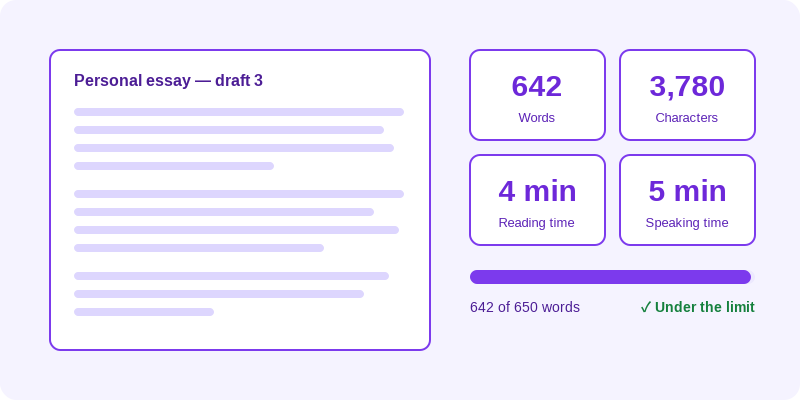
Most writing comes with a number attached: a 650-word application essay, a 4,000-character personal statement, a 1,500-word article brief, a 160-character meta description. Going over can get your text cut off or rejected. Coming in far under can look like you didn't try.
An online word counter gives you that number as you type. It helps to know what it's actually counting, though, because two tools can disagree by a few words on the same text.
How to Count Words Online
Paste or type your text into the Word & Character Counter. Seven numbers update with every keystroke:
- Words
- Characters, including spaces and line breaks
- Characters (no spaces)
- Sentences
- Paragraphs
- Reading time
- Speaking time
There's nothing to click and nothing to save. The counting happens in your browser, so your draft isn't uploaded or stored anywhere. That matters for unpublished work or an application essay you don't want copied.
What Counts as a Word
The counter treats anything between spaces or line breaks as one word. In practice that means:
| Text | Words | Why |
|---|---|---|
| well-known | 1 | A hyphen doesn't split a word |
| $3.50 | 1 | Numbers and prices are words |
| https://alventra.io/tools | 1 | A link with no spaces is one word |
| word—word | 1 | A dash with no spaces joins the two |
| word — word | 3 | A dash with spaces around it counts on its own |
| 👍 | 1 | An emoji between spaces counts as a word |
Microsoft Word and Google Docs use their own rules for dashes, symbols and links, so their totals can differ from an online counter by a handful of words on a long essay. When a limit is strict, check the count in the place that enforces it: the application form, the submission portal, or the editor your teacher uses.
Languages without spaces
Chinese, Japanese and Thai don't put spaces between words, so a counter that splits on spaces sees a whole sentence as one word. For those languages, use the character count instead. That's also how length limits for them are usually set.
Characters With and Without Spaces
Character limits nearly always include spaces. The UCAS personal statement, for example, allows 4,000 characters including spaces across its three answers, with at least 350 characters for each. Use the plain Characters figure for limits like that. It also counts line breaks, which is safer, since some forms count them too.
Characters (no spaces) is useful for translation quotes and some print layouts that price or size text by visible characters.
One emoji usually shows as 2 characters. That's how browsers measure most emoji internally, and it's also how X counts them against its 280-character limit.
Sentences and Paragraphs
The sentence count is a quick estimate, not a grammar check. It counts each run of full stops, question marks and exclamation marks, so:
- "Wait... what?!" counts as 2 sentences, which is right.
- "See e.g. the appendix." counts as 3, because of the dots in "e.g."
- "It costs $3.50 today." counts as 2, because of the decimal point.
Use it to spot very long sentences (a low sentence count for a lot of words), not as an exact figure. Paragraphs are counted wherever there's a blank line between blocks of text.
Reading Time and Speaking Time
Reading time assumes 200 words per minute and speaking time assumes 130, both rounded up to the next minute. So a 650-word essay shows 4 minutes to read and 5 minutes to say aloud, and a 1,500-word article shows 8 and 12.
Speaking time is the useful one for speeches and presentations. If you have a 5-minute slot, aim for about 650 words, and fewer if you plan to pause for slides or questions.
Common Word and Character Limits
| What you're writing | Typical limit |
|---|---|
| Common App personal essay | 250 to 650 words (Common App) |
| UCAS personal statement | 4,000 characters across three answers, at least 350 each |
| Post on X | 280 characters on a free account |
| Meta description for a web page | About 150 to 160 characters before Google may cut it off |
| School essay | Set by your teacher; many allow 10% either way, so ask |
| Blog article | No fixed rule; write until the question is answered |
University and school guidelines vary, so treat the assignment brief as the final word over any general rule.
How Many Words Is a Page?
It depends on font, size and spacing, but a common rule of thumb for 12-point text on A4 or Letter paper is:
- Single-spaced: about 500 words per page
- Double-spaced: about 250 words per page
So a 1,000-word essay is roughly 2 single-spaced pages or 4 double-spaced ones.
Trimming an Essay That's Over the Limit
If you're 50 words over, cut words before you cut ideas:
- Delete filler. "Very", "really", "actually", "in order to" (just "to"), "the fact that".
- Cut the warm-up. First drafts often spend the opening paragraph clearing their throat. Try starting at the second paragraph.
- Turn passive into active. "The experiment was conducted by me" (6 words) becomes "I ran the experiment" (4).
- Merge sentences that repeat a subject. "I joined the club. The club taught me..." becomes "The club I joined taught me...".
To see exactly what changed between two drafts, paste both into the Text Diff Checker. If you pasted in a title that's stuck in capitals, the Case Converter will fix it. For more text tools, see our guide to free online text tools.
Frequently Asked Questions
How do online word counters count words?
Most count each group of characters between spaces or line breaks as one word. Hyphenated words, numbers and links each count as one word, while a dash with spaces around it can count as a word of its own.
Why is my word count different in Word or Google Docs?
Each program has its own rules for dashes, symbols, links and footnotes, so totals can differ by a few words. When a limit is strict, check the count in the system that enforces it.
Do character limits include spaces?
Usually, yes. Application forms such as the UCAS personal statement count spaces, so use the character count that includes spaces unless the instructions say otherwise.
How long does it take to read 1,000 words?
About 5 minutes at an average reading speed of 200 words per minute, and about 8 minutes to read aloud at 130 words per minute.
Is my text saved when I use an online word counter?
On this word counter, no. The text is counted in your browser and isn't uploaded or stored, so it's gone when you close the page.