
 By Muhammad Irfan Liaqat
Regex Patterns for Email, Numbers and Phone
Tested regex patterns for email validation, numbers only, decimals, phone numbers (E.164), IPv4, whitespace and more, with what each accepts and rejects.
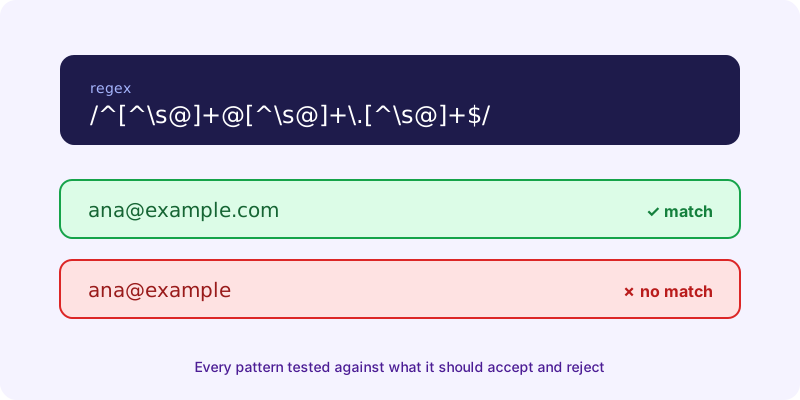
Here are ready-to-use patterns for email addresses, numbers, phone numbers and IP addresses, with what each one accepts and rejects. Every pattern was tested in JavaScript against the examples listed, so you can see exactly where it draws the line.
All the patterns use the ^ and $ anchors, which match the start and end of the input. Without them, a pattern only has to match somewhere inside the text, so \d+ would happily accept "abc123".
Regex for Email Validation
A simple pattern that catches typos
^[^\s@]+@[^\s@]+\.[^\s@]+$In plain words: characters that aren't spaces or @, one @, more of the same, a dot, more of the same.
- Accepts: ana@example.com, ana.lee+news@mail.example.co.uk
- Rejects: ana@, ana@example, ana lee@example.com, ana@@example.com
- Lets through: ana@example..com (a double dot in the domain)
The pattern browsers use
The HTML standard defines the check behind <input type="email"> as a regular expression. Here is the WHATWG version:
^[a-zA-Z0-9.!#$%&'*+\/=?^_`{|}~-]+@[a-zA-Z0-9](?:[a-zA-Z0-9-]{0,61}[a-zA-Z0-9])?(?:\.[a-zA-Z0-9](?:[a-zA-Z0-9-]{0,61}[a-zA-Z0-9])?)*$It's stricter about the domain: it rejects ana@-example.com and ana@example..com. It still accepts user@localhost (no dot needed) and a..b@x.com (double dot before the @). The standard openly says this rule doesn't follow the email RFC to the letter.
No pattern can tell you an address actually exists. Use regex to catch typos, then send a confirmation email.
Regex for Numbers
Digits only
^\d+$\d matches any digit from 0 to 9. This accepts 0, 2026 and 007. It rejects an empty string, 12a, 1 000, -5 and 3.14.
Whole or decimal numbers, with an optional minus sign
^-?\d+(\.\d+)?$Accepts 42, -7, 3.14 and -0.5. Rejects .5, 5., 1,000, +3 and 1e5. If you need those forms, add them on purpose instead of loosening the whole pattern.
Numbers with thousands separators
^\d{1,3}(,\d{3})*(\.\d+)?$Accepts 999, 1,000 and 12,345,678.90. Rejects 1,00, 1000,000 and ,100.
Regex for Phone Numbers
Phone formats vary too much by country for one pattern to cover them all. Pick the one that matches how you store numbers.
International format (E.164)
^\+[1-9]\d{1,14}$E.164 numbers are digits only, with a maximum of fifteen digits, written after a plus sign. This pattern accepts +14155552671 and +923001234567. It rejects 14155552671 (no plus), +0123456, +1 415 555 2671 (spaces) and anything over 15 digits. Use it when every number is stored in one format.
Loose format for user input
^\+?[\d\s().-]{7,20}$Accepts what people actually type: (415) 555-2671, +44 20 7183 8750, 0300-1234567. Rejects letters and anything shorter than 7 characters. Strip the spaces and punctuation before you save the number.
Regex for an IPv4 Address
^((25[0-5]|2[0-4]\d|1\d\d|[1-9]?\d)\.){3}(25[0-5]|2[0-4]\d|1\d\d|[1-9]?\d)$Each part allows 0 to 255 and no leading zeros. It accepts 192.168.1.1, 0.0.0.0 and 255.255.255.255. It rejects 256.1.1.1, 192.168.1, 192.168.01.1 and 1.2.3.4.5. The simpler ^(\d{1,3}\.){3}\d{1,3}$ you'll often see lets through 999.999.999.999.
Regex for Whitespace
\s matches a space, tab, line break and other Unicode spaces, according to MDN's regex cheatsheet.
- Find any run of whitespace:
\s+ - Collapse runs to one space: replace
\s+with a single space, so "a b" becomes "a b" - Trim both ends: replace the pattern below with nothing, using the g flag
^\s+|\s+$Regex for Any Character, Including Line Breaks
The dot . matches any character except line breaks. To match across lines, turn on the s (dotAll) flag, or use [\s\S], which works in older engines too. Tested in JavaScript: a.b doesn't match "a" and "b" on separate lines, while a.b with the s flag and a[\s\S]b both do.
Three More Patterns Worth Saving
Hex color code (#fff or #1E90FF):
^#([0-9a-fA-F]{3}|[0-9a-fA-F]{6})$Date in YYYY-MM-DD format:
^\d{4}-(0[1-9]|1[0-2])-(0[1-9]|[12]\d|3[01])$This checks the shape, not the calendar. It rejects month 13 but accepts 2026-02-30, so check real dates in code.
URL slug (lowercase words joined by single hyphens):
^[a-z0-9]+(-[a-z0-9]+)*$Accepts palworld-breeding. Rejects Palworld, a--b and -a. The Text to Slug converter turns any title into this format.
Regex Cheat Sheet
| Token | Matches |
|---|---|
| `\d` | A digit, 0 to 9 |
| `\w` | A letter, digit or underscore (A–Z, a–z, 0–9, _) |
| `\s` | A whitespace character |
| `.` | Any character except a line break |
| `^` and `$` | The start and end of the input |
| `+` | One or more of the previous item |
| `*` | Zero or more of the previous item |
| `?` | Zero or one of the previous item |
| `{2,5}` | Between 2 and 5 of the previous item |
Flags change how the whole pattern behaves: g finds every match instead of the first, i ignores case, m makes ^ and $ match at each line, and s lets the dot match line breaks.
Test Any Pattern in Your Browser
Paste a pattern into the Regex Tester with some sample text, and every match is highlighted as you type, along with its position. It uses your browser's JavaScript regex engine, has toggles for the g, i, m and s flags, and shows the error when a pattern is invalid. Nothing you type leaves your device.
Frequently Asked Questions
What is the best regex for email validation?
For most forms, ^[^\s@]+@[^\s@]+\.[^\s@]+$ is enough to catch typos. For stricter checks, use the pattern from the HTML standard, which is what browsers use for email inputs. Neither proves the address exists, so confirm by email.
What regex matches numbers only?
^\d+$ matches whole numbers made only of digits. Use ^-?\d+(\.\d+)?$ to also allow a minus sign and decimals.
How do I match a phone number with regex?
For numbers stored in international format, use ^\+[1-9]\d{1,14}$, which follows the E.164 limit of 15 digits. For what users type, use a looser pattern and strip the formatting before saving.